Google Search Console Now Tracks Your Instagram, TikTok, X and YouTube. Here's What Business Owners Should Do About It
Google Search Console now shows how your social media posts perform in Google Search. Here's what changed, when it happened, what it means for your business, and how to set it up in five minutes.
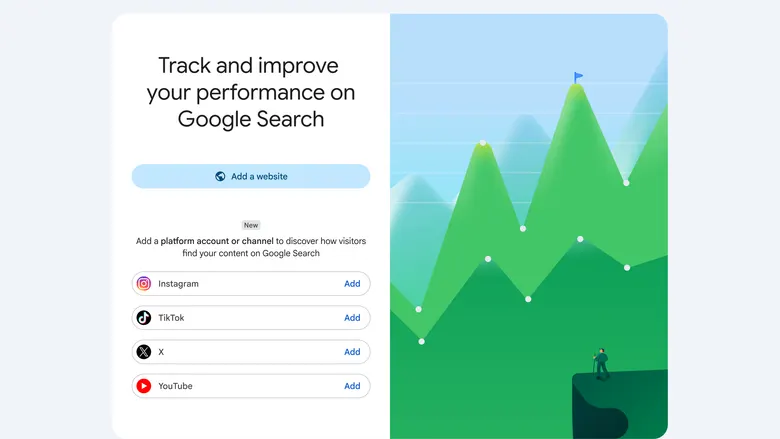
For almost as long as Search Console has existed, it has had one unspoken rule: no website, no data.
If someone searched Google and landed on your Instagram Reel, your TikTok, or your YouTube video, you had no idea. Instagram could tell you a Reel got 4,000 views. It couldn’t tell you that 600 of those people came from a Google search, or what they typed to find it.
That changed this summer. Google now lets you connect your social media accounts to Search Console and see how they perform in Google, using the same kind of data we’ve relied on for websites for years.
I first came across this through an Instagram Reel, which is a fitting way to learn about it. But when I looked into the details, the reality turned out to be both less dramatic and more useful than the hype. Here’s the accurate version.
What actually happened
Google introduced a new type of Search Console property called platform properties. It lets site owners and creators see how their social and video posts perform on Google Search and Discover, including which search terms lead people to their Instagram, TikTok, X, and YouTube content.
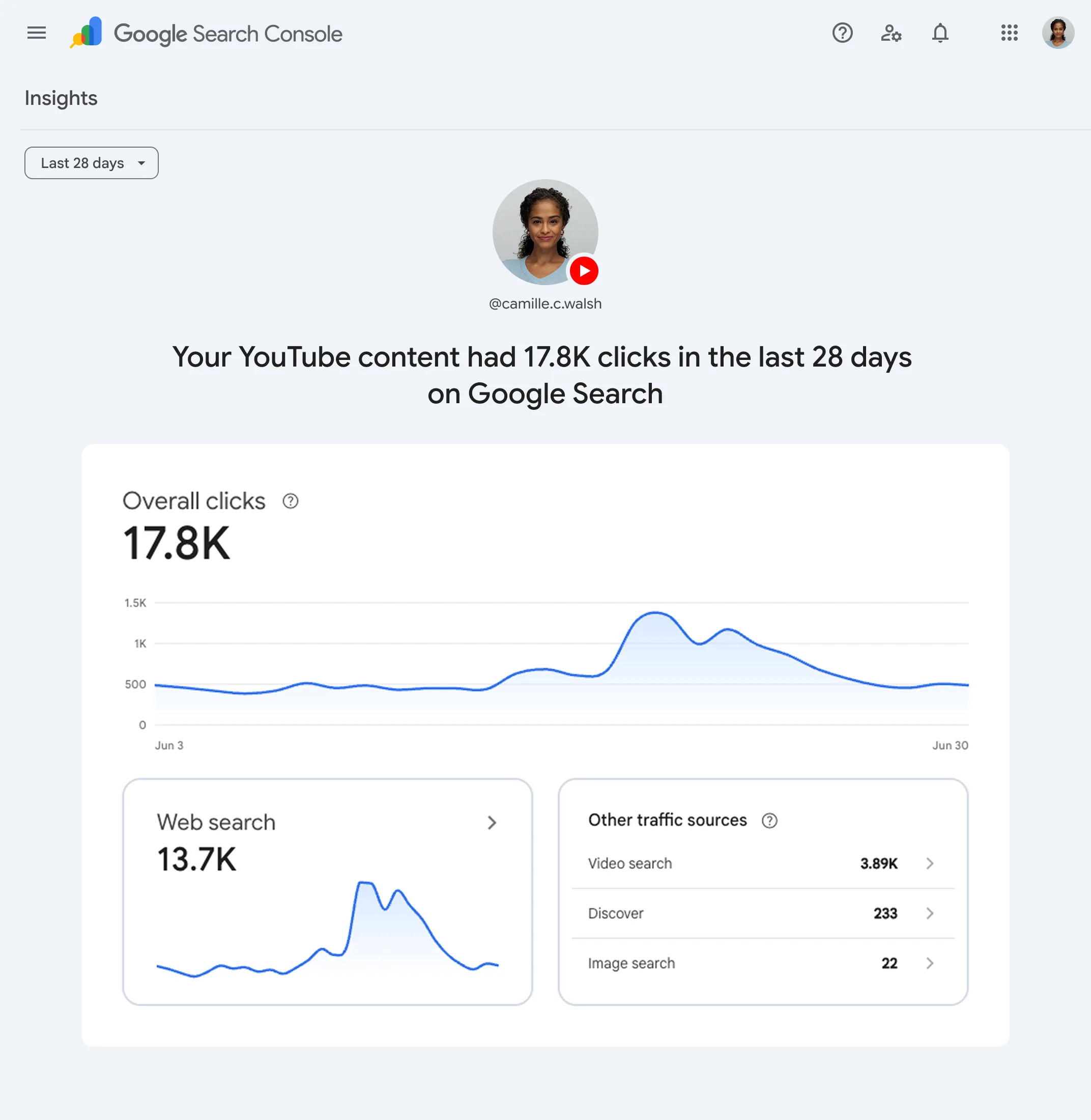
Until now, Search Console had two property types: a domain property and a URL-prefix property. Both required you to own a website. Platform properties add a third type. Instead of verifying a domain you own, you connect a social account you control, and Search Console starts reporting on how that account’s content appears and performs in Google Search and Discover.
The part that matters most for small businesses is that it works even for creators who don’t have their own website.
When it happened: the timeline
This didn’t happen overnight. Google has been building toward it for about a year.
The experiment
Google announced an experiment that expanded the Search Console Insights report to include performance data for some social channels, alongside website data. The catch was that it only worked for websites Search Console had already verified and associated with a social channel. No website still meant no data.
Search profiles
Google launched something related but different. Search profiles are public profile pages for qualified creators and publishers, while platform properties focus on analytics.
Platform properties announced
Moshe Samet, Search Console's product manager lead, announced the feature as a follow-on to the December 2025 experiment. It rolled out gradually, so many people couldn't find it in their accounts yet.
Available to everyone
Google confirmed that platform properties were globally available, and published a new guide on analysing social and video content performance on the same day.
If you tried to find this in July and couldn’t, try again now. It should be there.
What it is, and what it isn’t
Some of the posts about this change describe it as a “ranking rule” change. It isn’t one. Nothing about how Google ranks content has changed. This is a major leap forward in reporting, not a new ranking factor.
Here’s what you get and what you don’t:
| Platform properties do show you | Platform properties don’t show you |
|---|---|
| Clicks and impressions your posts got from Google | How many times a post was viewed inside the app |
| The search queries people used to find your content | Follower growth, likes, comments, or shares |
| Which posts get the most Google traffic | Anything about platforms other than the four supported |
| Performance across Google Search, Discover, and Google News | Any boost to your rankings |
Google is clear about this: platform properties only show how your content performs on Google Search, not when people see it on the platform itself. For example, they won’t show how many times your video appeared on TikTok.
So your Instagram Insights and TikTok Analytics still matter. This is a new layer on top of them, not a replacement.
Which platforms are supported? Four at launch: Instagram, TikTok, X, and YouTube. LinkedIn, Facebook, and Pinterest aren’t included yet. If your business lives mainly on LinkedIn, you’ll have to wait.
Why Google did this
The honest answer is that people’s search habits changed, and Google’s own results changed with them.
Search for a recipe, a product review, or “how to fix a leaking tap” today, and you’ll see short videos, Reels, and TikToks mixed into the results. Google has been sending traffic to social content for years. It just never told the people who made that content.
Meanwhile, a lot of businesses, especially small ones, put most of their effort into Instagram or YouTube rather than their website. For them, Search Console was useless. Google is closing that gap, and in the process making Search Console relevant to a much larger group of people than just SEO professionals.
How this affects your business
This is the part I find most interesting. The feature itself is simple, but the data it gives you can change how you make decisions.
1. You’ll see how customers actually search for you.
For a lot of local businesses, a Google search for the business name surfaces the Instagram profile before the website does. You may already have customers finding you through Google and landing on your Instagram rather than your site. Now you can see it, including the exact words they used.
2. Your social content becomes a source of search keywords.
The queries report tells you what people typed before they found your Reel or video. That’s a list of real customer questions, in their own words. You can use it for your next posts, your website copy, your FAQs, or your Google Ads keywords.
3. You can see which platform Google favours for your content.
If your YouTube videos get steady Google traffic and your TikToks get almost none, that’s useful information when you’re deciding where to spend your time or budget.
4. Your SEO and social efforts stop being separate.
Many businesses treat “the website person” and “the social media person” as two different jobs with two different reports. This feature puts both in one tool. The businesses that get ahead will be the ones that plan content with both in mind, rather than treating Instagram as a separate world.
5. Businesses without a website finally get search data.
If you run your business entirely from an Instagram page, you now have access to the same kind of search insight that website owners have had for over a decade. That’s a genuinely big deal.
To be clear on what this won’t do: connecting your account won’t make your posts rank higher or bring you more traffic. It shows you what’s already happening. What you do with that information is where the value comes from.
How to set up a platform property: step by step
Setup takes about five minutes per account. You’ll need a Google account and login access to the social account you want to connect.
Step 1: Open Search Console.
Go to search.google.com/search-console and sign in. If you’ve never used it before, you’ll land on the welcome screen.
Step 2: Add a new property.
From the welcome screen, choose to add a property. If you already have properties, open the property selector dropdown in the sidebar and click “Add property.”
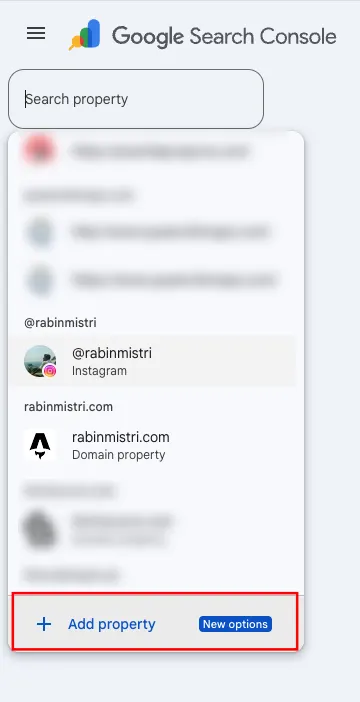
Step 3: Choose your platform.
Click “Add” next to the platform you want from the list of supported options, then follow the prompts. You’ll pick from Instagram, TikTok, X, or YouTube.
Step 4: Authorise the connection.
You’ll be asked to log in to the social account and allow Search Console access. This confirms that you own or manage the account, the same way you’d verify ownership of a website.
Step 5: Repeat for each account.
Each platform is a separate property with its own data. If you use Instagram and YouTube, add both.
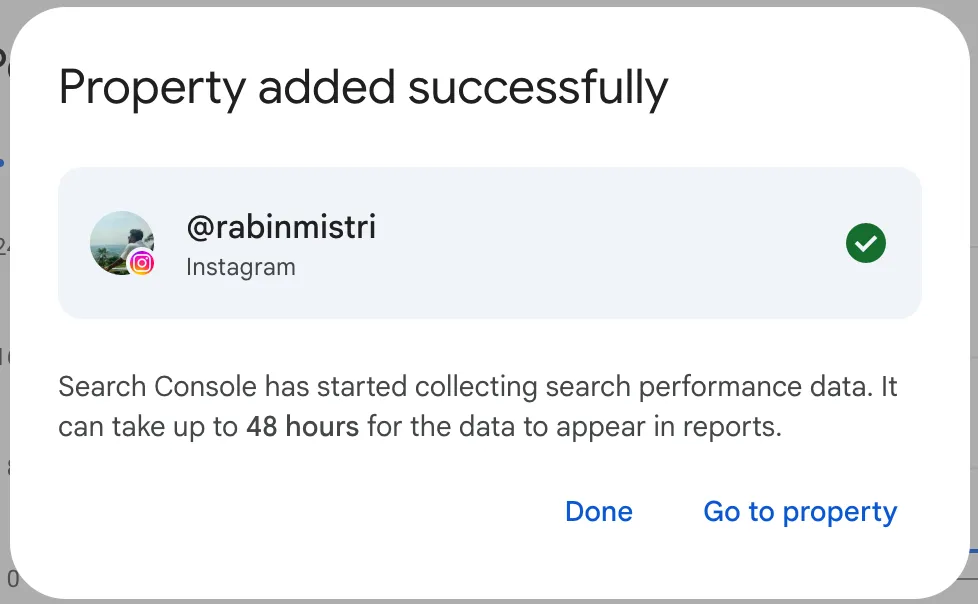
Step 6: Give it time.
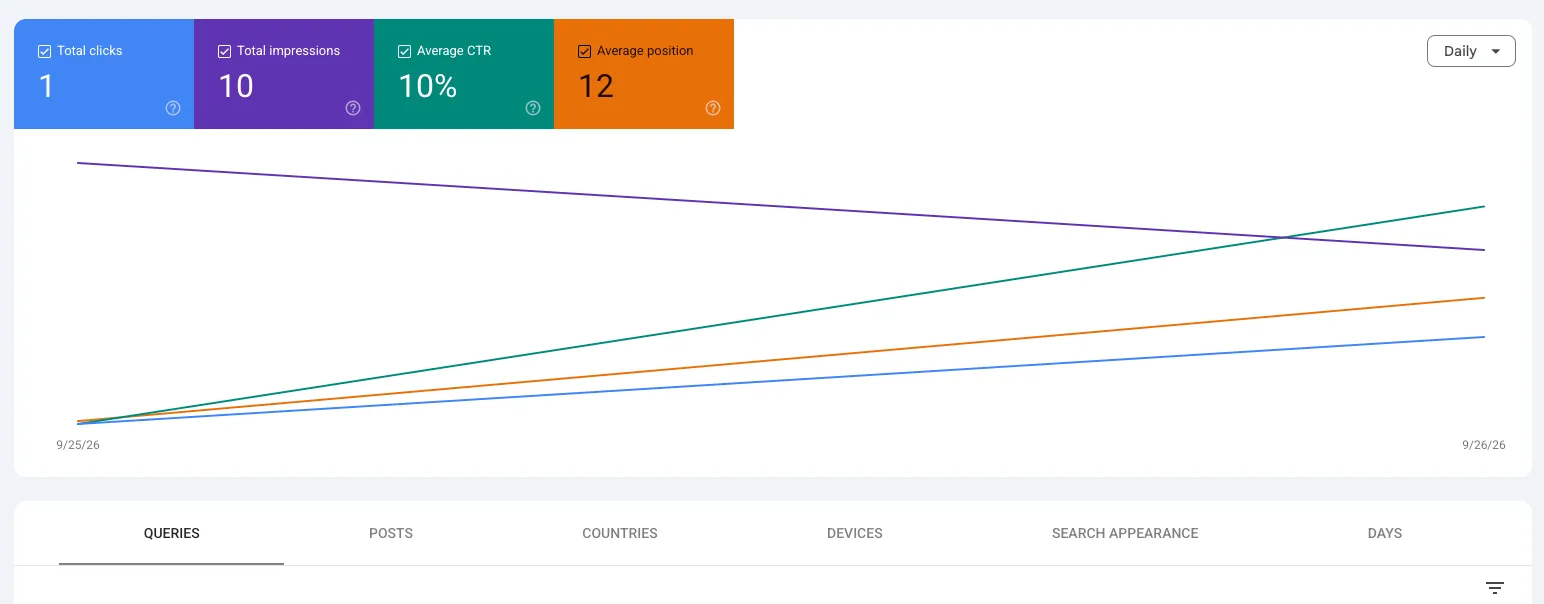
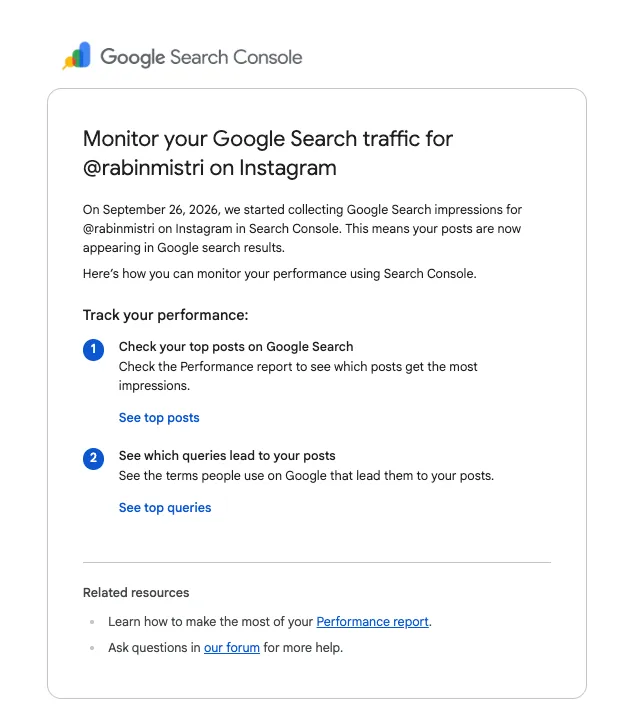
I started seeing data within 24 hours of adding my Instagram account. You will receive an email, just like the one below, as soon as Google’s system detects any clicks.
What to look at once you’re connected
Once connected, you get three reports. Performance covers clicks, impressions, and queries; Insights covers trends and top posts; and Achievements covers milestones across 28 days.
Here’s where I’d start as a business owner:
Performance report: find your top queries. Sort by clicks and read the queries at the top. Are people searching for your brand name? A product? A problem you solve? This tells you what Google associates your content with.
Performance report: find your top posts. Look at which posts earn the most Google clicks. Often they won’t be your most-liked posts. A plain, useful how-to video can outperform a trending Reel in search for months.
Insights report: watch what’s trending. Google says you can use the Insights report to identify the top, trending up, and trending down query groups sending traffic. A query group trending up is a signal to make more content on that topic.
Compare with your website. If you also have a website property, compare the queries. If people searching for a service you offer land on your Instagram instead of your service page, that’s worth fixing, either by improving the page or by linking to it more clearly from your profile.
A small detail worth knowing: when Instagram stories appear in Google search, they’re counted as impressions, and a click on one is counted as a click. So even your temporary content can show up in these numbers.
The bigger picture
For twenty years, SEO meant one thing for most businesses: your website. Social media was a separate job with separate metrics, and the two rarely talked to each other.
This update doesn’t change how Google ranks anything. But it does quietly admit something marketers have known for a while: people find businesses through Google, and what they find is increasingly a Reel, a TikTok, or a YouTube video rather than a web page.
Now you can measure that. My advice is simple: connect your accounts this week, let the data build up for a month, and then look at what people are actually searching for. You’ll probably learn something about your customers that no in-app analytics dashboard could have told you.
Frequently asked questions
Do I need a website to use this?
No. That's the main point of the feature. You can verify a social account on its own.
Is Google Search Console Platform properties free?
Yes, like the rest of Search Console.
Will connecting my Instagram improve my Google rankings?
No. It's a reporting tool. It shows you data; it doesn't change how your content ranks.
Does it support LinkedIn or Facebook?
Not at the moment. Only Instagram, TikTok, X, and YouTube are supported.
Can my marketing agency or freelancer see the data?
Yes, just like other Google Search Console properties, you can add users and grant them various levels of access.